
Overview
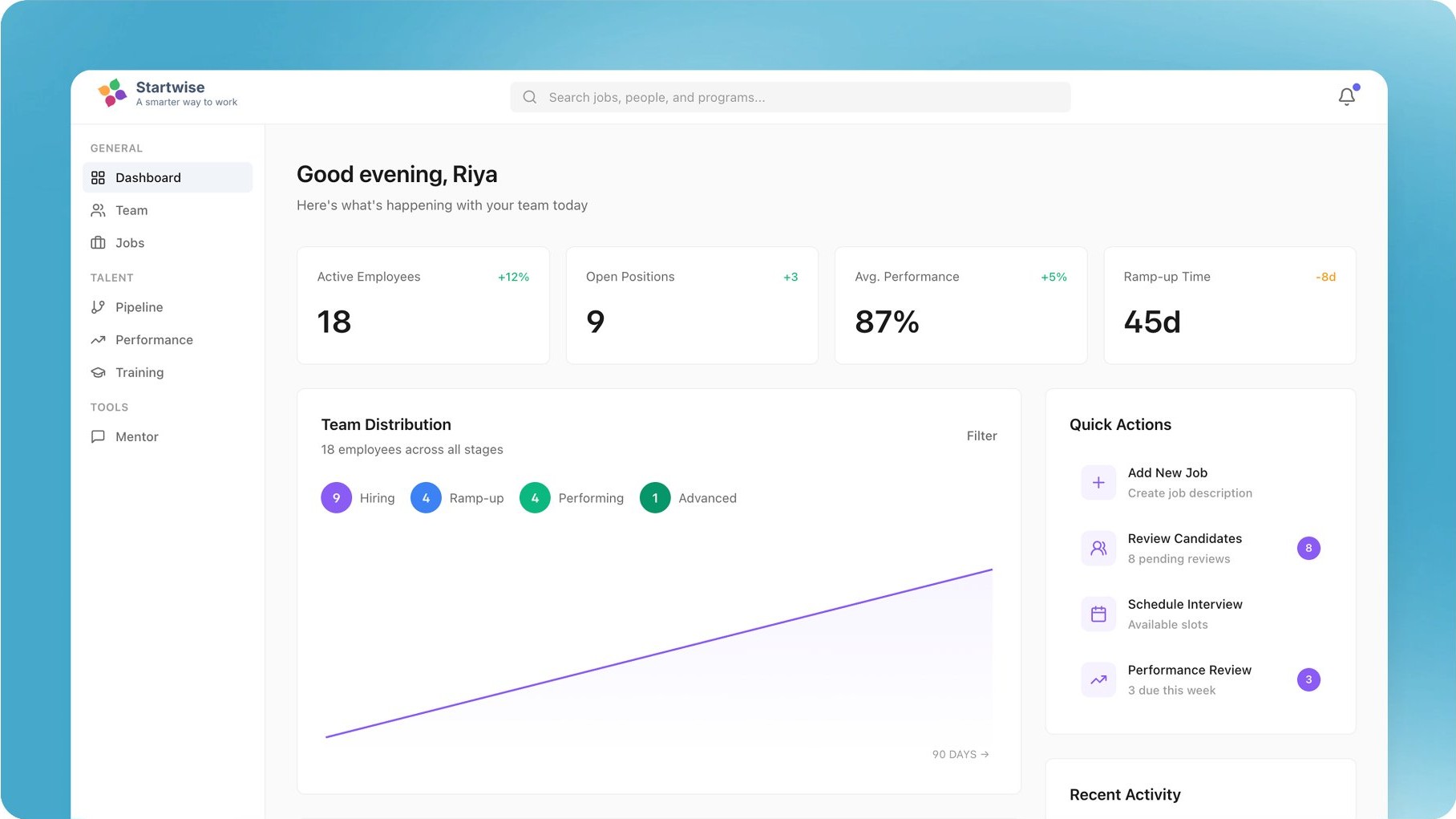
Startwise is a startup whose mission is to make work wonderful. I helped them build a manager support tool to accelerate workforce development. The JobOS platform helps leaders build, develop, and retain top-performing teams.
The Core Problem
Startwise already had a bunch of Pilot users as they were working as a consulting firm for them. In order to better understand users motivations and difficulties. Here's our results:
1. Job Stage - Hiring
- User Question = How do I hire great people quickly?
- User Needs = CONFIDENCE and SPEED in their hiring process. They need to know they are hiring the right people as fast as possible
- User Pain points = Bad job descriptions, the time it takes to make them, the copy paste approach results in poor communication with new hires, interviewers, and ultimately bad hiring decisions.
2. Job Stage - Ramp-up
- User Question = I've got X people starting in Y days... how do I get them up to speed?
- User Needs = EASY, EFFECTIVE ramp up plans. A good plan that reduces worry and time-on-task, one that new hires can easily follow to reach peak performance
- User Pain points = The "what am I supposed to do now" onboarding experience, the "onboard yourself" culture, the lack of progression from first few days to big 30-90 day wins
3. Job Stage - Performance management
- User Question = How are we doing? Are we doing good enough? Is there anything I can do to help?
- User Needs = CONTROL & POWER. The power to track, steer, and accelerate their team's performance
- User Pain points = How can I really know how my teammates are doing... on more than just metrics? How can I share feedback and evaluations in a constructive way?
Vision
We decided to build a web application that brings all manager support and workforce development tools into one unified platform called JobOS. The goal was to simplify how leaders hire, onboard, and develop their teams by providing structured workflows, guided processes, and centralized resources within a single system.
The platform includes three main modules and more than sixteen sub-modules, so it is not possible to show the Design process for all of them. The following example demonstrates the Ramp Up feature prototype.
User Flow
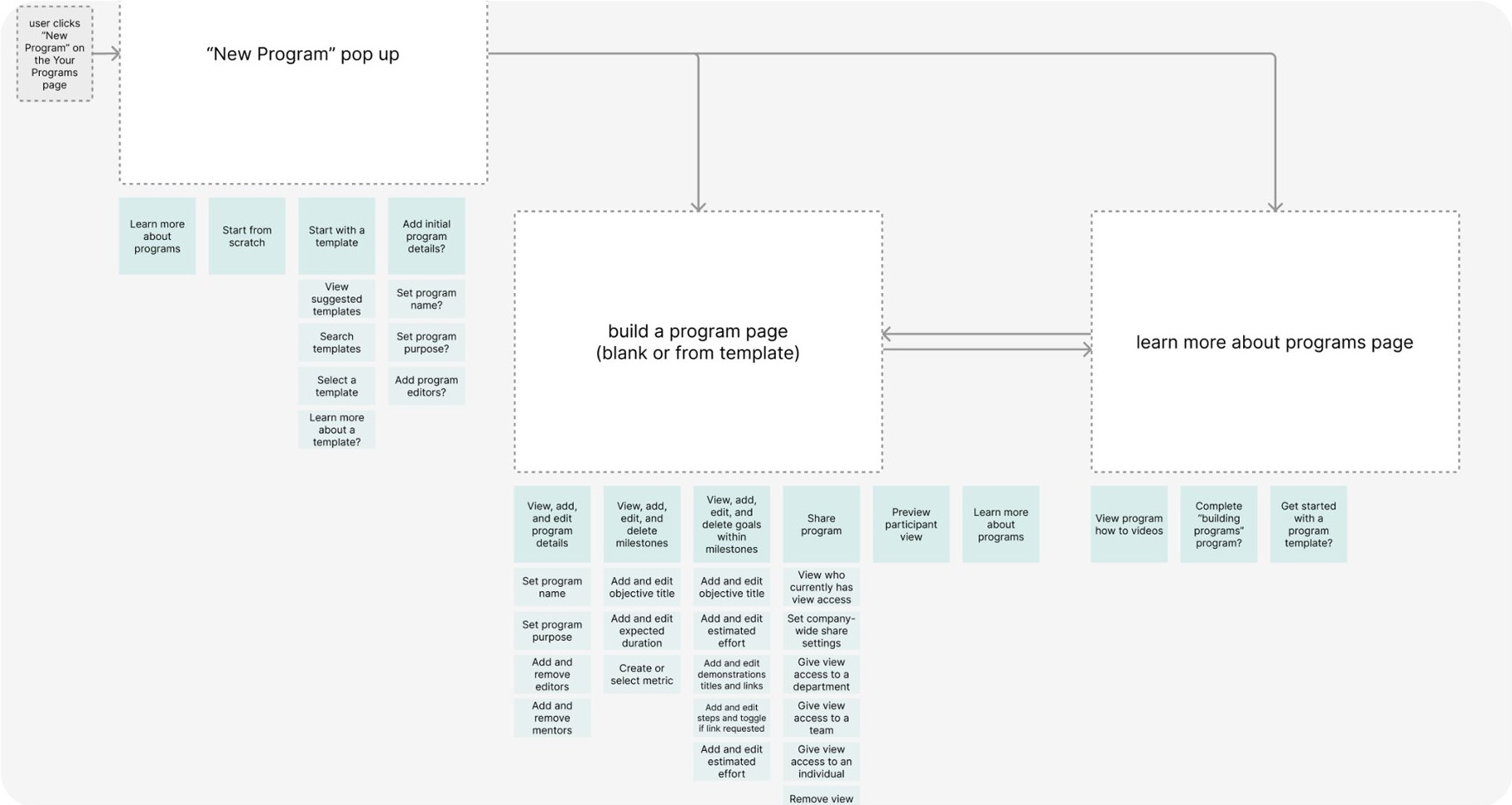
To better understand how managers would interact with the system, I mapped the user flow for creating a new ramp-up program. This flow outlines the key steps a manager takes after clicking "New Program," including choosing whether to start from scratch or use a template, adding program details, defining milestones and goals, and sharing the program with team members. Mapping this process helped identify the necessary screens, actions, and decision points required to build a structured onboarding program. It also ensured that the experience remained simple and guided, allowing managers to quickly create effective ramp-up plans for new hires.
Product
Purpose
Help new employees ramp up quickly and confidently in their roles through structured onboarding programs that guide them toward job readiness.
Ramp Up programs break the first 30-60-90 days of a new hire's journey into clear milestones, goals, and learning steps, helping them become productive faster.
It is for
- New hires joining the organization
- Managers onboarding new team members
- Teams that want a structured and repeatable onboarding process
Users can
- Create ramp-up programs for different roles
- Define onboarding timelines such as 30-60-90 day plans
- Break the ramp journey into milestones and goals
- Add learning resources such as documentation, videos, or guides
- Track onboarding progress and milestone completion
Conclusion
At the end of the project, the final design was presented to the users to evaluate the overall experience.
Users responded positively to the improvements. They were able to complete tasks with fewer interactions and appreciated that the platform focused only on the most relevant information. The platform helped managers move from unstructured workflows to a clear and guided system for hiring, onboarding, and performance development.